Features
Column Filters
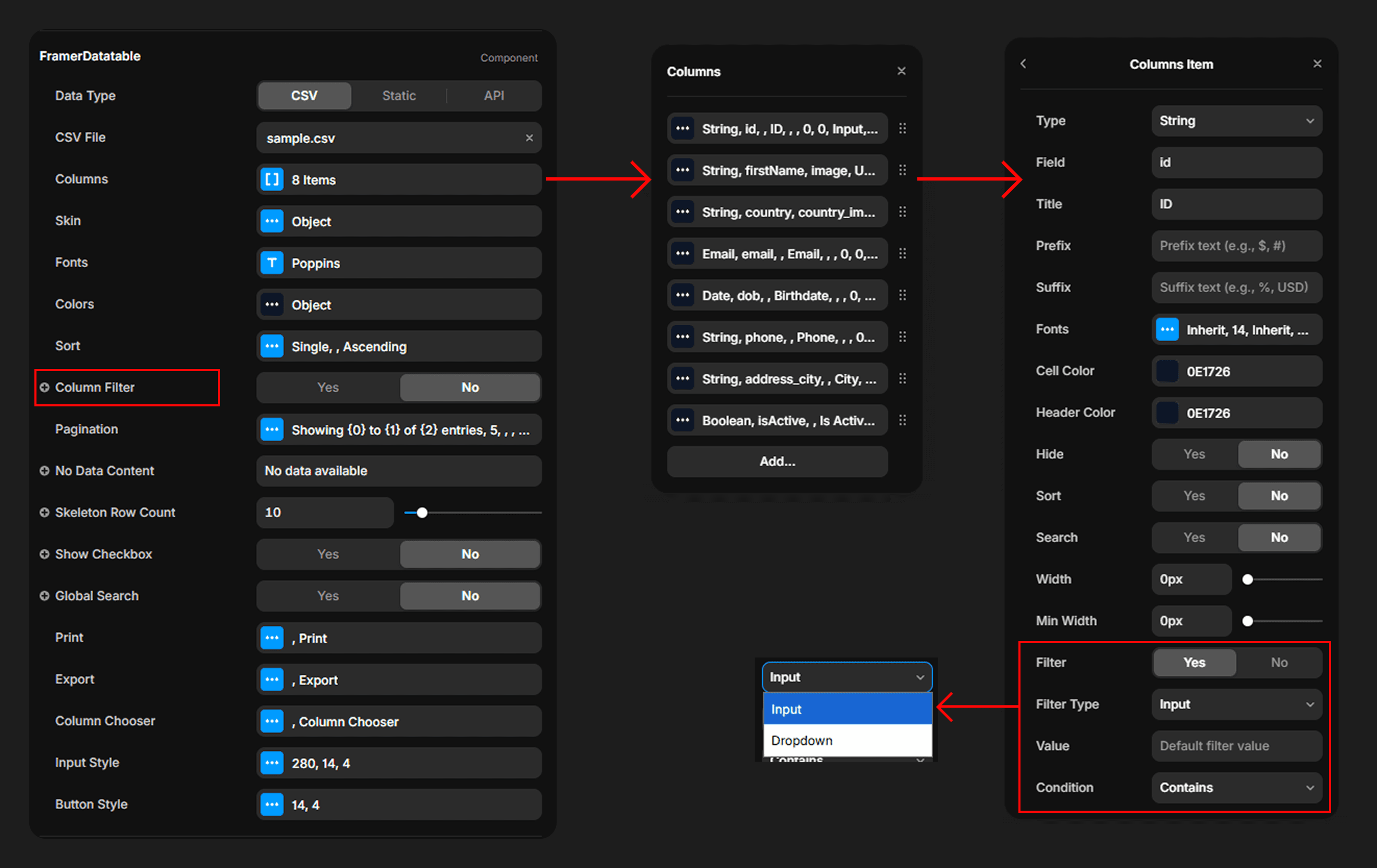
Per-column filtering with input or dropdown modes and contains/equals matching.
Per-column filters appear in the table header row (enabled via Column Filter property). Each column can use either a free-Text Input or a Dropdown populated with the unique values present in that column's data. Filters support two match modes:
Contains— Matches any row where the value includes the filter string (case-insensitive).Equals— Exact match comparison (case-insensitive for text, strict equality for numbers).
Date columns are compared against their formatted display values. Numeric columns compare as numbers. Boolean columns normalize to true/false before comparison.